Showing posts with label Geek. Show all posts

Sunday, April 26, 2015

PS4: How to Share your Digital Content with a Second PlayStation 4

Before the Internet, if you wanted to play a game you had purchased on a second console, all you had to do was take the disk and pop it in that console.  These days things aren't so simple.  Or are they?

original image via GameSpot

Have you ever wondered if there was a way you could share your digitally purchased games, map packs, etc. across multiple consoles without having to purchase it all again?  Well, I have often wondered this exact thing.

A Little Background:
Back in the day (circa 2004), before my now 10 year old son was into gaming, life was easy.  I liked a game - I bought a game.  Easy-peasy.  Fast forward to the present time and when a new Call of Duty game drops I am pre-ordering multiple copies.  Whatever.  I am used to it, however, thanks to current technology and the vast library of available online games and downloadable content (DLC) I have found a way around having to purchase multiple copies of any game, as well as the DLC that goes along with it.

Are you ready?  Here is how it works.  (For reference - I actually just did this last night using two PlayStation 4 (PS4) consoles and the game Destiny).

The Situation:
So, I have (2) PS4 consoles, my PSN ID (cpu22girl) and my son's PSN ID.  I have multiple digital games, but for the sake of this post I am using Destiny and the Destiny Expansion Packs as my example.  My son wants to play Destiny on his own console using his own PSN ID.  I do not want to have to repurchase the exact same game and DLC in order for him to do so.

You may already know this, but ANY digital content you purchase on the PS4 console you have designated as your "Primary" console can be shared with ALL users on that same console.

Here is a little excerpt taken directly from the PlayStation Knowledge Center (AKA PlayStation Support Forum):

By activating your PlayStation 4 as primary you can enjoy numerous benefits and actions

  • Anyone who uses your Primary PS4™ system can enjoy applications you purchase from PlayStation®Store.
  • You can automatically download to the PS4 system content you pre-ordered, or content purchased on PlayStation®App.
So, here is what you will need:
  • (2) PS4 consoles
    1. Console #1 - Main console you have set as the "Primary" for your PSN account.  This is the PSN account you have purchased your digital content on.  Also, this is the console your child (spouse, friend, etc.) will now use with their PSN account.
    2.  Console #2 - Secondary console which you will now use for yourself.
  • (2) PSN Accounts (PSN ID's).  Please note - Per PlayStation: "To enjoy certain PlayStation Plus benefits, you must subscribe to the service."  So, in order to play games online, each PSN Account MUST have their own PlayStation Plus Account.  If your child is not into online gaming, then you should be fine with just using (1) PlayStation Plus account
How to share your DLC with another PS4 user: 
If you haven't already done so, turn on your PS4 (Console #1) and add your PSN account to it, be sure you designate this console as your "Primary" console.  (The first time you sign in to your PSN account you will be prompted to activate the console during the sign in process).

"Activate as Your Primary PS4" Option Screen
If for some reason, you do not see the above screen on your console, you can activate it as your primary console by following these steps:

After you have signed into your PSN Account: Select [PSN] > [Activate as Your Primary PS4] > [Activate].

Next, add the second PSN account (this is the account that belongs to your child, spouse, relative, etc.) to the console you have designated as your primary console (Console #1).  This console will now be the secondary user's console.  In my case, this is the console my son will use.

Also, fair to note - you should probably add a passcode to your account and disable the automatic login feature on this console.  This will make it so the other user will not automatically be signed into your PSN account when they turn the PS4 on.  Trust me; there is nothing worse than being in the middle of a firefight and then losing your connection because someone signed in on your primary console as you!

How to Add a Passcode to your Profile on your PS4

How to set a passcode for your profile: Go to [Settings] > [Login Settings] > [Passcode Management] and choose your passcode.

How to ensure that your account is not set up for automatic login on the PS4: Check [Settings] > [Login Settings] and make sure that the setting is off.

Next, add your own account to the second PS4 console (Console #2).  DO NOT designate this as your primary console.  Per PlayStation: "You can activate only 1 PS4™ system per account."

Next, start downloading all of your previously purchased digital content.  This is the console you will now use as your main console, even though it is not the console you have selected as the "primary".

We followed the above steps last night and this morning my son was playing online, via his own PSN account on his own PS4 console.  He was able to jump into a game of Destiny and also had all of the DLC Expansion Packs that come with the Destiny Expansion Pass.

I hope this helps save you from purchasing multiple copies of the exact same game and DLC in the future.

Happy Gaming!

Wednesday, January 8, 2014

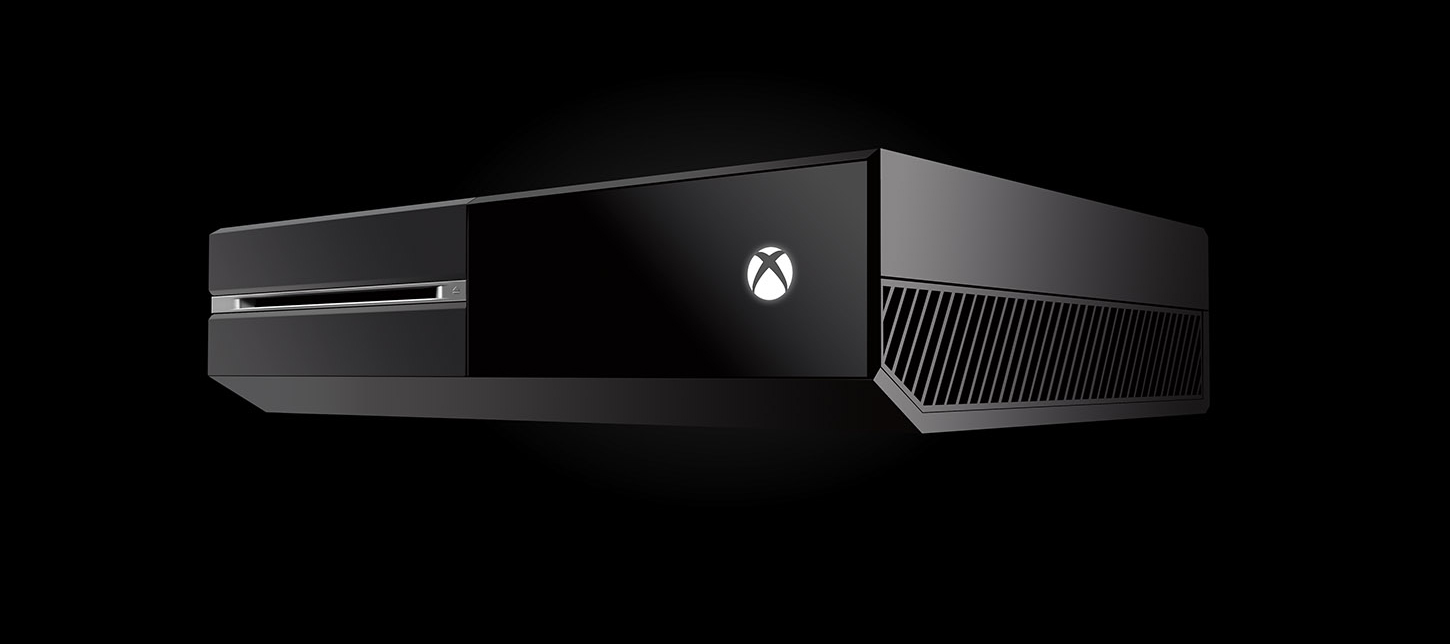
Things People Didn't Tell Me About The Xbox One.

Introducing the all new, Xbox One.  The One that does it all.  In my opinion, it has the potential to do it all, but sadly, it just isn't there yet.

image via Xbox.com

I actually waited several weeks to run out and buy my newest gaming console, the Xbox One.  Why?  My gaming friend Jason (Gamertag: Jasonincbus) and I made a deal: neither of us would give in and buy one until the other decided to do so.

Anyway, he gave in first due to some gift cards he received and who am I to go back on a deal? 

So check it out, the following are things no one was trying to mention when I asked people to give me the pros and cons of the Xbox One (and believe me, I asked quite a few people).  All I heard were things like, "It so great, Ang!", "It's the best thing like everrrr!" and "You have to get one!"

These are the things that struck me as foul right off the bat:

No voice messages.  That's right, the Xbox One does not allow you to send voice messages to your friends.  You will, however be notified of incoming voice messages from the land of your Xbox 360 friends, but you will not be able to listen to them unless you bust out your 360 and sign into your account on there.  Can anyone say, DUMB?!

No Bluetooth support.  Yep.  You read that right.  No. Bluetooth. Support.  So, this means you can say goodbye to your expensive $300+ headsets.  Oh, wait.  They are releasing an adapter sometime during the "first quarter" of the year.  Do real-life gamers even test these consoles out prior to the launch?  Get it together, Microsoft!

No way to view or modify your hard drive capacity.  Literally, there is no way to view your current storage situation.  Like what happens when I want to delete a game?  Oh, never mind there are less than a handful of available games and almost all of them are right around 40GB to install.  5x40=200.  We are good!  (insert sarcastic undertones here).  What the Efff?!
 
This brings me to my next complaint:

You MUST install your games to your hard drive.  It is no longer an option to do so, the Xbox One now insists you install to the hard drive in order to play the game.  Gone are the days of going to your friend's house and popping in a game and just playing it.  Gone!  What about the non-tech savvy parents out there?  You pay $500 for a console and your kids want to be able to play a game on it, right?  RIGHT!?

The games take upwards of 30 minutes to install.  Mine took 56 minutes on average per game.  I bought (3) games in total, so needless to say I spent most of the night installing games to the hard drive.  Fair to note:  many people report around 30 minutes to install games, I happen to have a defective device (more on that in a minute).

Apps.  One of the selling features of the Xbox One was the fact it can play my Blu-ray discs.  I mean, dang I can now retire my PS3, right?  Yeah, I sure can AFTER I download an app.  For real.  You are required to download an app in order to play a movie via your Xbox One.  This does not come pre-installed.

Oh and let's not forget about listening to music.  Did you get the app?  If not, forget about it.  MP3 files on your disc?  Forget about those, too.  MP3 files are not supported on the Xbox One.

On the plus side, I was able to download Netflix, HuluPlus and Amazon Instant Video with ease.  If you want HBO Go, you better just watch it on your Smart TV, your iPad, or maybe even your phone, because the Xbox One, does not offer an app for it.

Watching Television.  I have to say the ability to hook up your cable or satellite box to the Xbox one is pretty nifty, but what about for those times when you don't want to have to turn the Xbox One on?  I mean, come on - my almost 60 year-old mom does not want to turn on a gaming console in order to watch reruns of Friends or Murder She Wrote.  Come on now.  Without having to purchase a splitter of some sort, there should be a way for us to still watch TV the old fashioned way, if and when the need arises.  Because, believe me - the need will arise.

Followers.  You will no longer receive friend request alerts (which is handy for just saying "NO!" to the Xbox stalkers out there).  Girls: you know what I am talking about.  You will, however, soon see your list of "followers" growing.  These so-called followers are people who have recently added you as a friend.  Wait.  Say Whatttt?  You may be thinking..."No way Ang, people can't add me unless I approve them first..."  Say goodbye to those days, my friends.  But, guess what?  To add a friend, all you need to do is "follow" them back.  Pretty simple, right?  Oh my bad!  I forgot to mention you will now see every single thing the people you follow (aka add as friends) do via a handy thing known as the Feed.  That said, the Feed will tell all of your stalkers every single thing there is to know about you.  Did you just watch Prison Break via Netflix?  Yup.  Are you playing Forza?!  Well, by golly you sure are, because I can see it in my Feed!  Everything any creeper ever wanted or needed to know about you in regard to your Xbox One is right there for their viewing aka reading pleasure.  The Xbox One...The One That Tells It All.

The following is just something I find annoying, even though I did know about it prior to my purchase.  I only have myself to blame re this one.

No backwards compatibility.  I mean like not even for previously purchased digital games via the XBL Arcade.  Come on guys.  If you can make COD Ghosts, BF4 and even Lego Marvel work, you can let us have access to our digital content.

Don't get me wrong, I'm all for technology.  Hello, my name is CPU22GIRL for a reason.  (That's Computer-22-Girl for the slower folks out there).  But this Xbox One is not even close to being ready for the masses.  It really isn't.  But, guess what?  Just like the same crappy games with their same crappy servers and lack of support we have ALL been complaining about for years - we will continue to buy it.  If we will buy it, they will make it.

The bottom line is this:  The games (or lack thereof) pretty much suck, the console itself needs some serious revamping in order to live up to its true potential and overall there is no way knowing what I know now, I would ever recommend purchasing this console in its current state.  To anyone.  Like ever.

I truly had a list much longer than this, but for some odd reason I can't find the note I typed to myself via my Galaxy Nexus.  So, this is all from the top of my head, kids.

Oh yes, regarding my defective console - I will say this.  Microsoft was on point when I contacted them because my brand new, 5 day old console decided it no longer wanted to read discs.  I mean, come on!  I had already inserted 3 different discs into the console.  That is a lot, guys! (insert sarcasm (again) here).  They offered me something they are calling an "Advance Exchange Order" in lieu of me having to wait to get my console repaired.  Pretty much what that means is I had to provide my credit card info, Microsoft then placed a $500 "hold" on my card and is in the process of shipping me a brand new console.  In return I am to ship back the defective one using the box the new one arrives in.  Not too shabby, and if the old-school Red Rings of Death (RROD) situation was anything to learn from, it seems they have learned a thing or two about customer service.

Another thing worth mentioning is pretty much ALL of the above could be fixed via a system update.  I mean, really, why can't we send voice messages?

Last, but not least are the things I really like about the console:

A stand-out plus of the console is the voice chat is very true to life.  It literally sounds like you are on the phone with someone.  Very clear and concise.  So much so, you can hear other people breathing.  Like a lot.  Just saying.

The speed of this thing is pretty awesome, as well.  Everything moves super quick.

The Kinect is amazing.  It recognizes you when you walk in front of it and you have the option of enabling auto-log in.  I have to say: This is pretty cool.  The voice recognition is pretty nice, too.  It really does listen to what you say.

The "Xbox Record That" feature is one of the neatest added features I have seen.  Did you just blow someone up with a grenade launcher?  Well, tell your Xbox to "Record That!" and it will.  You can share the video with all of your friends later.

I will update this list as things change, but for now, I am out.  Happy Gaming!

01/09/2014 Update: I was browsing the xbox.com website and came across the following: 


Uninstall Xbox One content
If you need to make room for a new game, or if you want to uninstall a title that you don’t use anymore, you can do it from My games and apps. Here’s how:

  1. Start from Home (press the Xbox button on your controller to go Home).
  2. Go to My games and apps.
  3. Highlight the content that you want to uninstall.
  4. Press the Menu button on your controller.
  5. Select Uninstall.
This sure helps!  I checked it out and it even tells you how much space the game/app is taking up.  However, there still is not a way to view any type of summary/overview re how much space has been used

Friday, September 13, 2013

Everyone Should Have Their Own Robot

Green iRobot Logo via iRobot

I Heart iRobot.  For realsies.  This is a post I intended to write a long time ago.  I am a HUGE fan of iRobot.  I own both the Roomba and Scooba models and can not say enough good things about them.  Anyone who comes to my house gets introduced to them at some point.  Often, I refer to them as my kids.  Their names are Claire and Sam.  As in, Claire Redfield & Sam Fisher.  If they ever (who am I kidding?!) When they have a baby robot, she will be named Lara Croft.  Don't hate.  I have a photo album dedicated to my robots on facebook.  Seriously.

Had I known they would one day become celebrities, I would have taken better pictures when they were first born.  I regret to say I never took pictures of Claire (the Scooba aka the mop), when she first came to live with us.  But, when her boyfriend Sam moved in, it was so on.  I understood the power of the robot by then.

A Little History.
Meet Claire.  She was born in January, 2010.  I found her online.  At the time, it was the only way she could be had.  I ordered her directly from iRobot.  I paid $599 with free shipping.  OUCH.  But, I would do it again.  In an instant.  Even if it meant blowing the dust off of my American Express.

Claire aka iRobot Scooba 380, cleaning our floors.

Claire is an extremely hard worker.  She even cleans our guest house.

Claire, age 2

It wasn't long before I decided Claire needed a boyfriend.
Meet Sam.  Born April 27th, 2012.

Sam Fisher aka iRobot Roomba 560
I purchased Sam from Bed, Bath & Beyond.  I utilized a 20% off coupon and a free upgrade kit with purchase.  I paid just under $400.

Don't doubt the cleaning power of the Roomba. This is after 3 cleaning cycles of all rooms. Our floors are super clean, too. We never, ever wear shoes indoors.

Gross, eh?

 Sam even cleans under the table and between the chairs.

I love this little guy.  Our cat, not so much.

The Nitty, Gritty Details.
Both units are low maintenance and easy to use.  Because it uses water, the Scooba requires a bit more maintenance (aka cleaning) to keep it working efficiently.  It is all really easy, though.  The Roomba picks up the grossest stuff you don't even know is in your house.  It cleans under the beds and in closets.  You can even schedule your Roomba to turn on automatically every day of the week!  Need I say more?

Some people may think they are too loud.  In my opinion, the noise level is the equivalent of a blow dryer on the low setting.  It does not bother me at all.  Better than having to bust out the Shark Steam Mop or Dyson (my other mop and vacuum power couple of choice).

The Roomba with an upgraded bin kit works great.  We have a Husky dog and a Siamese kitty and there is not a speck hair on my tile after these robots have done their daily chores.  If you are wondering how the animals like the robots - they have never bothered the dog and with our cat, it was touch and go at first, but now he doesn't even move when the robots come near him.  Like as in, he stays asleep.

In October of 2012, I had to replace Claire's battery pack.  This cost me $69.70, including shipping.  Again, I ordered directly from iRobot.  I have not had a problem since.

Do you have access to a Bed, Bath & Beyond?  If so, utilize their 20% off coupon and call it a day.  They have the best return policy, hands-down.  Especially, if let's say, the robot eats a few Nerf bullets and never sounds the same again.  BOOM!  Return and get a new one.  You will be right around the $300-400 mark with the upgrade and the one with scheduling.   No need to get all cray-cray and buy the remote...now that's just LAZY!

So, what are you waiting for?  Step up your robot game, today.  Your floors and your white socks will thank you.  This has been a public service announcement to dirty floors everywhere.

Disclaimer:  If you think I am alone in my Robot fandom, think again!  People everywhere name their robots and even let their kids ride on them! (Not recommended by iRobot).  Yes, I really refer to them by their names.  You can ask anyone who knows me.  Also, at some point, I would love to own my very own iRobot pool cleaning and gutter cleaning robots, too.