|
| image via Xbox.com |
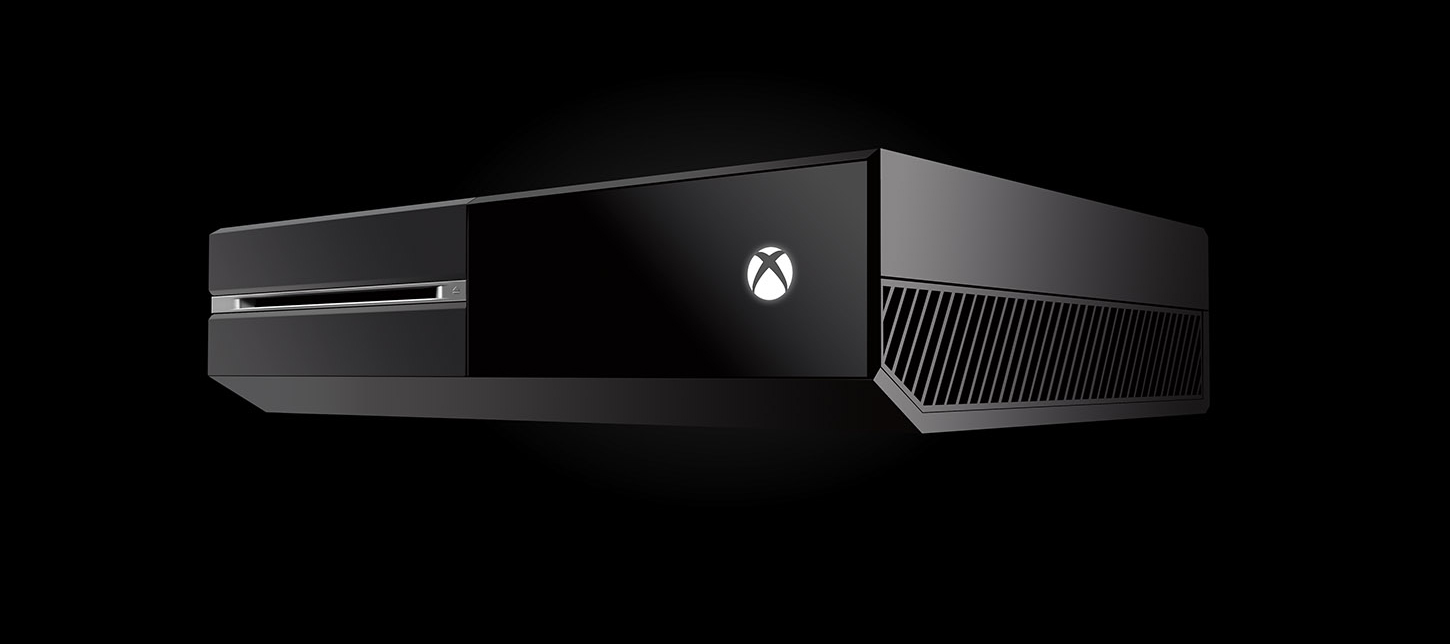
I actually waited several weeks to run out and buy my newest gaming console, the Xbox One. Why? My gaming friend Jason (Gamertag: Jasonincbus) and I made a deal: neither of us would give in and buy one until the other decided to do so.
Anyway, he gave in first due to some gift cards he received and who am I to go back on a deal?
So check it out, the following are things no one was trying to mention when I asked people to give me the pros and cons of the Xbox One (and believe me, I asked quite a few people). All I heard were things like, "It so great, Ang!", "It's the best thing like everrrr!" and "You have to get one!"
These are the things that struck me as foul right off the bat:
No voice messages. That's right, the Xbox One does not allow you to send voice messages to your friends. You will, however be notified of incoming voice messages from the land of your Xbox 360 friends, but you will not be able to listen to them unless you bust out your 360 and sign into your account on there. Can anyone say, DUMB?!
No Bluetooth support. Yep. You read that right. No. Bluetooth. Support. So, this means you can say goodbye to your expensive $300+ headsets. Oh, wait. They are releasing an adapter sometime during the "first quarter" of the year. Do real-life gamers even test these consoles out prior to the launch? Get it together, Microsoft!
No way to view or modify your hard drive capacity. Literally, there is no way to view your current storage situation. Like what happens when I want to delete a game? Oh, never mind there are less than a handful of available games and almost all of them are right around 40GB to install. 5x40=200. We are good! (insert sarcastic undertones here). What the Efff?!
This brings me to my next complaint:
You MUST install your games to your hard drive. It is no longer an option to do so, the Xbox One now insists you install to the hard drive in order to play the game. Gone are the days of going to your friend's house and popping in a game and just playing it. Gone! What about the non-tech savvy parents out there? You pay $500 for a console and your kids want to be able to play a game on it, right? RIGHT!?
The games take upwards of 30 minutes to install. Mine took 56 minutes on average per game. I bought (3) games in total, so needless to say I spent most of the night installing games to the hard drive. Fair to note: many people report around 30 minutes to install games, I happen to have a defective device (more on that in a minute).
Apps. One of the selling features of the Xbox One was the fact it can play my Blu-ray discs. I mean, dang I can now retire my PS3, right? Yeah, I sure can AFTER I download an app. For real. You are required to download an app in order to play a movie via your Xbox One. This does not come pre-installed.
Oh and let's not forget about listening to music. Did you get the app? If not, forget about it. MP3 files on your disc? Forget about those, too. MP3 files are not supported on the Xbox One.
On the plus side, I was able to download Netflix, HuluPlus and Amazon Instant Video with ease. If you want HBO Go, you better just watch it on your Smart TV, your iPad, or maybe even your phone, because the Xbox One, does not offer an app for it.
Watching Television. I have to say the ability to hook up your cable or satellite box to the Xbox one is pretty nifty, but what about for those times when you don't want to have to turn the Xbox One on? I mean, come on - my almost 60 year-old mom does not want to turn on a gaming console in order to watch reruns of Friends or Murder She Wrote. Come on now. Without having to purchase a splitter of some sort, there should be a way for us to still watch TV the old fashioned way, if and when the need arises. Because, believe me - the need will arise.
Followers. You will no longer receive friend request alerts (which is handy for just saying "NO!" to the Xbox stalkers out there). Girls: you know what I am talking about. You will, however, soon see your list of "followers" growing. These so-called followers are people who have recently added you as a friend. Wait. Say Whatttt? You may be thinking..."No way Ang, people can't add me unless I approve them first..." Say goodbye to those days, my friends. But, guess what? To add a friend, all you need to do is "follow" them back. Pretty simple, right? Oh my bad! I forgot to mention you will now see every single thing the people you follow (aka add as friends) do via a handy thing known as the Feed. That said, the Feed will tell all of your stalkers every single thing there is to know about you. Did you just watch Prison Break via Netflix? Yup. Are you playing Forza?! Well, by golly you sure are, because I can see it in my Feed! Everything any creeper ever wanted or needed to know about you in regard to your Xbox One is right there for their viewing aka reading pleasure. The Xbox One...The One That Tells It All.
The following is just something I find annoying, even though I did know about it prior to my purchase. I only have myself to blame re this one.
No backwards compatibility. I mean like not even for previously purchased digital games via the XBL Arcade. Come on guys. If you can make COD Ghosts, BF4 and even Lego Marvel work, you can let us have access to our digital content.
Don't get me wrong, I'm all for technology. Hello, my name is CPU22GIRL for a reason. (That's Computer-22-Girl for the slower folks out there). But this Xbox One is not even close to being ready for the masses. It really isn't. But, guess what? Just like the same crappy games with their same crappy servers and lack of support we have ALL been complaining about for years - we will continue to buy it. If we will buy it, they will make it.
The bottom line is this: The games (or lack thereof) pretty much suck, the console itself needs some serious revamping in order to live up to its true potential and overall there is no way knowing what I know now, I would ever recommend purchasing this console in its current state. To anyone. Like ever.
I truly had a list much longer than this, but for some odd reason I can't find the note I typed to myself via my Galaxy Nexus. So, this is all from the top of my head, kids.
Oh yes, regarding my defective console - I will say this. Microsoft was on point when I contacted them because my brand new, 5 day old console decided it no longer wanted to read discs. I mean, come on! I had already inserted 3 different discs into the console. That is a lot, guys! (insert sarcasm (again) here). They offered me something they are calling an "Advance Exchange Order" in lieu of me having to wait to get my console repaired. Pretty much what that means is I had to provide my credit card info, Microsoft then placed a $500 "hold" on my card and is in the process of shipping me a brand new console. In return I am to ship back the defective one using the box the new one arrives in. Not too shabby, and if the old-school Red Rings of Death (RROD) situation was anything to learn from, it seems they have learned a thing or two about customer service.
Another thing worth mentioning is pretty much ALL of the above could be fixed via a system update. I mean, really, why can't we send voice messages?
Last, but not least are the things I really like about the console:
A stand-out plus of the console is the voice chat is very true to life. It literally sounds like you are on the phone with someone. Very clear and concise. So much so, you can hear other people breathing. Like a lot. Just saying.
The speed of this thing is pretty awesome, as well. Everything moves super quick.
The Kinect is amazing. It recognizes you when you walk in front of it and you have the option of enabling auto-log in. I have to say: This is pretty cool. The voice recognition is pretty nice, too. It really does listen to what you say.
The "Xbox Record That" feature is one of the neatest added features I have seen. Did you just blow someone up with a grenade launcher? Well, tell your Xbox to "Record That!" and it will. You can share the video with all of your friends later.
I will update this list as things change, but for now, I am out. Happy Gaming!
01/09/2014 Update: I was browsing the xbox.com website and came across the following:
Uninstall Xbox One content
If you need to make room for a new game, or if you want to uninstall a title that you don’t use anymore, you can do it from My games and apps. Here’s how: - Start from Home (press the Xbox button on your controller to go Home).
- Go to My games and apps.
- Highlight the content that you want to uninstall.
- Press the Menu button on your controller.
- Select Uninstall.